
7zip
by: Igor Pavlov
- 33 total downloads
- Latest version: 26.0.0
7-Zip is a file archiver with a high compression ratio.
## Features
- High compression ratio in [7z format](http://www.7-zip.org/7z.html) with **LZMA** and **LZMA2** compression
- Supported formats:
- Packing / unpacking: 7z, XZ, BZIP2, GZIP, TAR, ZIP and WIM
- Unpacking only: AR, ARJ, CAB, CHM, CPIO, CramFS, DMG, EXT, FAT, GPT, HFS, IHEX, ISO, LZH, LZMA, MBR, MSI, NSIS, NTFS, QCOW2, RAR, RPM, SquashFS, UDF, UEFI, VDI, VHD, VMDK, WIM, XAR and Z.
- For ZIP and GZIP formats, **7-Zip** provides a compression ratio that is 2-10 % better than the ratio provided by PKZip and WinZip
- Strong AES-256 encryption in 7z and ZIP formats
- Self-extracting capability for 7z format
- Integration with Windows Shell
- Powerful File Manager
- Powerful command line version
- Plugin for FAR Manager
- Localizations for 87 languages
## Notes
- The installer for 7-Zip is known to close the Explorer process. This means you may lose current work. If it doesn't automatically restart explorer, type `explorer` on the command shell to restart it.
- **If the package is out of date please check [Version History](#versionhistory) for the latest submitted version. If you have a question, please ask it in [Chocolatey Community Package Discussions](https://github.com/chocolatey-community/chocolatey-packages/discussions) or raise an issue on the [Chocolatey Community Packages Repository](https://github.com/chocolatey-community/chocolatey-packages/issues) if you have problems with the package. Disqus comments will generally not be responded to.**
7zip.install
by: Igor Pavlov
- 32 total downloads
- Latest version: 26.0.0
7-Zip is a file archiver with a high compression ratio.
## Features
- High compression ratio in [7z format](http://www.7-zip.org/7z.html) with **LZMA** and **LZMA2** compression
- Supported formats:
- Packing / unpacking: 7z, XZ, BZIP2, GZIP, TAR, ZIP and WIM
- Unpacking only: AR, ARJ, CAB, CHM, CPIO, CramFS, DMG, EXT, FAT, GPT, HFS, IHEX, ISO, LZH, LZMA, MBR, MSI, NSIS, NTFS, QCOW2, RAR, RPM, SquashFS, UDF, UEFI, VDI, VHD, VMDK, WIM, XAR and Z.
- For ZIP and GZIP formats, **7-Zip** provides a compression ratio that is 2-10 % better than the ratio provided by PKZip and WinZip
- Strong AES-256 encryption in 7z and ZIP formats
- Self-extracting capability for 7z format
- Integration with Windows Shell
- Powerful File Manager
- Powerful command line version
- Plugin for FAR Manager
- Localizations for 87 languages
## Notes
- The installer for 7-Zip is known to close the Explorer process. This means you may lose current work. If it doesn't automatically restart explorer, type `explorer` on the command shell to restart it.
- **If the package is out of date please check [Version History](#versionhistory) for the latest submitted version. If you have a question, please ask it in [Chocolatey Community Package Discussions](https://github.com/chocolatey-community/chocolatey-packages/discussions) or raise an issue on the [Chocolatey Community Packages Repository](https://github.com/chocolatey-community/chocolatey-packages/issues) if you have problems with the package. Disqus comments will generally not be responded to.**
abbyy-finereader-pdf-portable
by: ABBYY (unofficial portable repack)
- 11 total downloads
- Latest version: 16.0.14.7295
Internal deployment package for ABBYY FineReader PDF Corporate 16.0.14.7295 portable (Spoon-virtualized) build.
Thin package: downloads the payload zip from share.te-it.ru (SHA256-pinned), extracts to Program Files, creates all-user shortcuts.
Master copy: NAS \\te-it-nas\share\!TechnoEast\!soft. Payload details: PAYLOAD.md next to package sources.
Install only on explicit request (not part of the workstation baseline); ABBYY licensing is handled by the operator.

adobereader
by: Adobe
- 36 total downloads
- Latest version: 2025.1.21223
Adobe Acrobat Reader DC software is the free, trusted global standard for viewing, printing, signing, sharing, and annotating PDFs. It's the only PDF viewer that can open and interact with all types of PDF content – including forms and multimedia. And now, it’s connected to Adobe Document Cloud – so you can work with PDFs on computers and mobile devices.
This package installs/upgrades the Multi-lingual ("MUI") release. In some cases, this package will by default be able to install over the top of a language-specific installation. Otherwise, this package will exit and require either a manual uninstall of the language specific installation or having the parameter '/OverwriteInstallation' set to do this automatically.
## Package installation defaults
By default, this package:
- Will _NOT_ install a desktop icon.
- Will _NOT_ install the Adobe Reader and Acrobat Manager ("ARM") service. It the service already exists, it will _NOT_ remove it (it will disable it unless enabled by parameters).
- Will _NOT_ uninstall language-specific installations.
- Will configure Reader to only **check for updates manually** with confirmation for install.
## Package Parameters
- `/DesktopIcon` - The Desktop icon will be installed to the common desktop. (Install only.)
- `/NoUpdates` - No updates via internal mechanisms (including manual checks). Only downloading from Adobe and running installers or updates (or updating this package) will advance the version of Reader. Once set, only uninstalling this package will remove this update block.
- `/OverwriteInstallation` - Uninstall a language-specific installation before installing the Multi-lingual ("MUI") release. _Be aware that this will remove all data and features of an existing installation!_
- `/EnableUpdateService` - Install the AdobeARM service. (Does not override `/NoUpdates`.)
- `/UpdateMode:#` - Sets the update mode (below). (Does not override `/NoUpdates`.)
- `/IgnoreInstalled="SOFTWARE NAME"` - This parameter allows you to ignore software whose name matches a comma delimited list of wildcard strings. This is useful if you have other versions of Adobe Acrobat installed (such as [Adobe Acrobat X Pro](https://github.com/pauby/ChocoPackages/issues/197)). For example: `choco install adobereader --params="'/IgnoreInstalled="Adobe X*,Adobe Acrobat Y*"'"` will ignore any installation whose name matches `Adobe X*` or `Adobe Acrobat Y*`. **WARNING**: Only use this parameter if you know what you are doing. If you have an existing installation of Adobe Acrobat Reader and you exclude it from the list using this parameter, then the package will perform an installation believing the software is not installed which _will cause issues_. **You have been warned**.
### Update Modes
- `0` - Manually check for and install updates. (Default and reset on every update).
- `1` - Same as `0`.
- `2` - Download updates for me, but let me choose when to install them. (Appears to be no different than `0`).
- `3` - Install updates automatically (via task scheduler or ARM service if enabled).
- `4` - Notify me, but let me choose when to download and install updates.
These parameters can be passed to the installer with the use of `--params`.
For example :
`choco install adobereader --params '"/DesktopIcon /UpdateMode:4"'`
## Notes
- This is an automatically updated package. If you find it is out of date by more than a week, please contact the maintainer(s), to let the know the package is no longer updating, using:
- The 'Contact Maintainers' link on the package page, or
- The 'Package Source' link on the package page and raising an issue.
amneziavpn
by: TE-IT
- 22 total downloads
- Latest version: 4.8.14.5
Устанавливает AmneziaVPN из утверждённого дистрибутива. Поддерживает WireGuard, OpenVPN, AmneziaWG и другие протоколы с обфускацией.

anydesk
by: AnyDesk Software GmbH
- 29 total downloads
- Latest version: 9.6.9
Connect to a computer remotely, be it from the other end of the office or halfway around the world.
AnyDesk ensures secure and reliable remote desktop connections for IT professionals and on-the-go individuals alike.
### If you want to install AnyDesk, you can either provide parameters to the [anydesk.portable package](https://chocolatey.org/packages/anydesk.portable) or install the [anydesk.install package](https://chocolatey.org/packages/anydesk.install).
**Please Note**: This is an automatically updated package. If you find it is
out of date by more than a day or two, please contact the maintainer(s) and
let them know the package is no longer updating correctly.
anydesk.portable
by: TE-IT
- 14 total downloads
- Latest version: 9.6.9
Устанавливает AnyDesk из официального дистрибутива. Не требует подключения к интернету при установке.
chocolatey-core.extension
by: chocolatey
- 29 total downloads
- Latest version: 1.3.3
This package provides helper functions installed as a Chocolatey extension.
These functions may be used in Chocolatey install/uninstall scripts by declaring this package a dependency in your package's nuspec.
chocolatey-dotnetfx.extension
by: Jakub Bereżański
- 19 total downloads
- Latest version: 1.0.1
This package provides helper functions useful for developing packages for Microsoft .NET Framework runtime and Developer Pack.
cryptopro-cadesplugin
by: TE-IT
- 20 total downloads
- Latest version: 2.0.15599
Устанавливает КриптоПро ЭЦП Browser plug-in из утверждённого дистрибутива. Обеспечивает работу электронной подписи в веб-браузерах. Требует установленного КриптоПро CSP.
cryptopro-csp
by: TE-IT
- 7 total downloads
- Latest version: 5.0.13003
Устанавливает КриптоПро CSP 5.0 из утверждённого (внутреннего) дистрибутива. Требуется для работы с квалифицированной электронной подписью, КриптоПро PDF и КриптоПро ЭЦП Browser plug-in.
cryptopro-pdf
by: TE-IT
- 20 total downloads
- Latest version: 2.0.2175
Устанавливает КриптоПро PDF из утверждённого дистрибутива. Позволяет создавать и проверять электронные подписи в PDF-документах. Требует установленного КриптоПро CSP.

dotnetfx
by: Microsoft
- 24 total downloads
- Latest version: 4.8.1.20250219-rtw
The .NET Framework is a development platform for building apps for web, Windows, Windows Phone, Windows Server, and Microsoft Azure. It consists of the common language runtime (CLR) and the .NET Framework class library, which includes a broad range of functionality and support for many industry standards.
The .NET Framework provides many services, including memory management, type and memory safety, security, networking, and application deployment. It provides easy-to-use data structures and APIs that abstract the lower-level Windows operating system. You can use a variety of programming languages with the .NET Framework, including C#, F#, and Visual Basic.
Supported Windows Client versions: Windows 11 version 21H2, Windows 10 version 22H2, Windows 10 version 21H2, Windows 10 version 21H1, Windows 10 version 20H2
Supported Windows Server versions: Windows Server 2022
.NET Framework 4.8.1 is preinstalled with the operating system starting from Windows 11 version 22H2 and Windows Server 2025. On these systems, this package installs successfully, but does nothing.
The matching Developer Pack can be installed using [this package](https://chocolatey.org/packages/netfx-4.8.1-devpack).
foxitreader
by: TE-IT
- 21 total downloads
- Latest version: 2026.1.0
Устанавливает Foxit PDF Reader из утверждённого дистрибутива. Для обновления версии замените файл в tools\ и обновите версию в nuspec.
googlechrome
by: TE-IT
- 17 total downloads
- Latest version: 146.0.7680.72
Устанавливает Google Chrome из официального enterprise MSI дистрибутива (64-bit). Не требует подключения к интернету при установке.

KB2919355
by: Microsoft
- 24 total downloads
- Latest version: 1.0.20160915
This update is a cumulative update that includes the security updates and the non-security updates for Windows RT 8.1, Windows 8.1, and Windows Server 2012 R2 that were released before March 2014. In addition to previous updates, it includes features such as improved Internet Explorer 11 compatibility for enterprise applications, usability improvements, extended mobile device management, and improved hardware support.
All future security and nonsecurity updates for Windows RT 8.1, Windows 8.1, and Windows Server 2012 R2 require this update to be installed.
On systems other than Windows 8.1 or Windows Server 2012 R2, this package installs successfully, but does nothing.
This update is required to install Visual Studio 2015 on Windows 8.1 or Windows Server 2012 R2.
KB2919442
by: Microsoft
- 23 total downloads
- Latest version: 1.0.20160915
The servicing stack includes the files and resources that are required to service a Windows image. This includes the Package Manager executable, the required servicing libraries, and other resources. The servicing stack is included in all Windows installations. The update fixes some issues.
On systems other than Windows 8.1 or Windows Server 2012 R2, this package installs successfully, but does nothing.
This update is required to install Visual Studio 2015 on Windows 8.1 or Windows Server 2012 R2.
librehardwaremonitor
by: LibreHardwareMonitor contributors
- 7 total downloads
- Latest version: 0.9.6
LibreHardwareMonitor 0.9.6, .NET Framework 4.7.2 build, internalized for the TE-IT mirror (https://choco.te-it.ru).
Ships the net472 release archive (not the .NET 10 variant) because TE-IT Runner drives LibreHardwareMonitorLib.dll from Windows PowerShell 5.1, which hosts .NET Framework and cannot load the .NET 8/10 builds.
Files are unpacked to tools\app so a Runner script can do:
Add-Type -Path "<choco lib>\librehardwaremonitor\tools\app\LibreHardwareMonitorLib.dll"
NOTE: LibreHardwareMonitor 0.9.6 no longer ships a kernel driver - all ring-0 access (CPU MSR / EC / SMBus) is delegated to the separately installed PawnIO driver. Without PawnIO only OS-provided sensors (load) return values; temperature, clock and power sensors stay empty. Install the `pawnio` package alongside.
libreoffice
by: TE-IT
- 8 total downloads
- Latest version: 26.2.2
Устанавливает LibreOffice из официального дистрибутива The Document Foundation. Включает Writer, Calc, Impress, Draw, Base, Math.

naps2
by: Ben Olden-Cooligan
- 24 total downloads
- Latest version: 8.1.4
NAPS2 is a document scanning application with a focus on simplicity and ease of use. Scan your documents from WIA- and
TWAIN-compatible scanners, organize the pages as you like, and save them as PDF, TIFF, JPEG, PNG, and other file
formats.
## Features
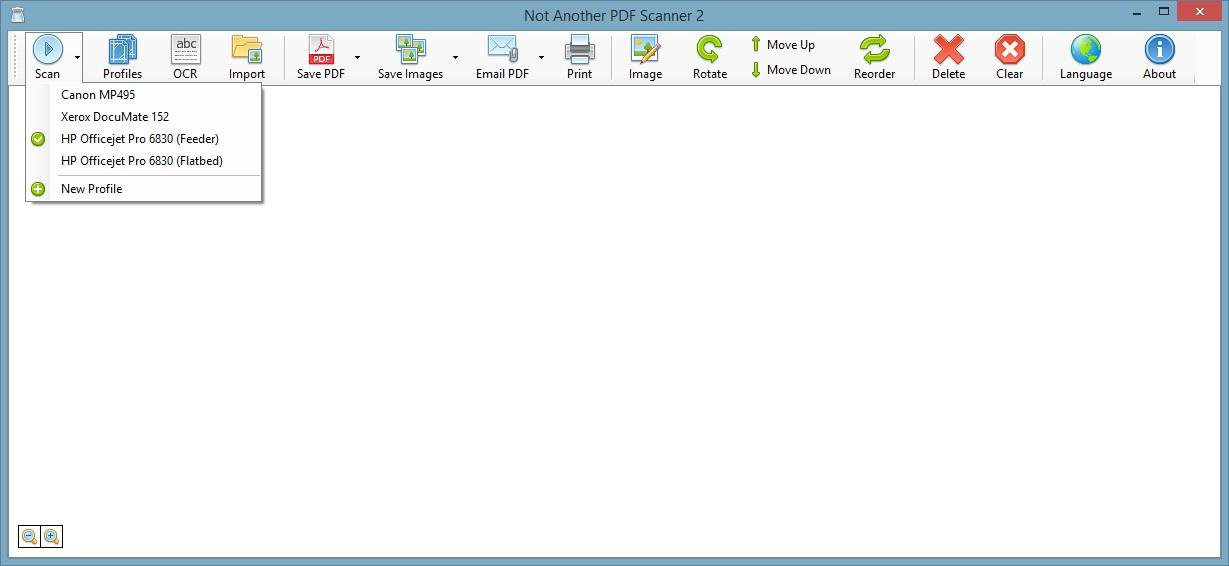
* Scan documents using WIA- and TWAIN-compatible scanners
* Scan as many pages as you like from glass or ADF, including duplex support
* Rotate, crop, and rearrange scanned pages
* Save as PDF, TIFF, JPEG, PNG, or other file formats
* Directly email PDFs
* Use OCR to make PDFs searchable
* Import, merge, and edit PDFs
* Configure brightness, contrast, resolution, and other scan options
* Save your configurations as profiles to be easily reused later
* Optional command-line interface (CLI) for automation and scripting
## Notes
* If support for 32-bit Windows is required use the legacy version [naps2 7.5.3](https://chocolatey.org/packages/naps2/7.5.3).
```powershell
choco install naps2 --version 7.5.3
choco pin add -n=naps2 --version 7.5.3
```
* This package is automatically updated using the [Chocolatey Automatic Package Update Model (AU)](https://github.com/majkinetor/au/blob/master/README.md).
If you find it is out of date by more than a day or two, please contact the maintainer(s) and let them know the package is no longer updating correctly.