dotnetfx 4.8.1.20250219-rtw
The .NET Framework is a development platform for building apps for web, Windows, Windows Phone, Windows Server, and Microsoft Azure. It consists of the common language runtime (CLR) and the .NET Framework class library, which includes a broad range of functionality and support for many industry standards.
The .NET Framework provides many services, including memory management, type and memory safety, security, networking, and application deployment. It provides easy-to-use data structures and APIs that abstract the lower-level Windows operating system. You can use a variety of programming languages with the .NET Framework, including C#, F#, and Visual Basic.
Supported Windows Client versions: Windows 11 version 21H2, Windows 10 version 22H2, Windows 10 version 21H2, Windows 10 version 21H1, Windows 10 version 20H2
Supported Windows Server versions: Windows Server 2022
.NET Framework 4.8.1 is preinstalled with the operating system starting from Windows 11 version 22H2 and Windows Server 2025. On these systems, this package installs successfully, but does nothing.
The matching Developer Pack can be installed using [this package](https://chocolatey.org/packages/netfx-4.8.1-devpack).
Showing the top 20 packages that depend on dotnetfx.
| Packages | Downloads |
|---|---|
|
naps2.install
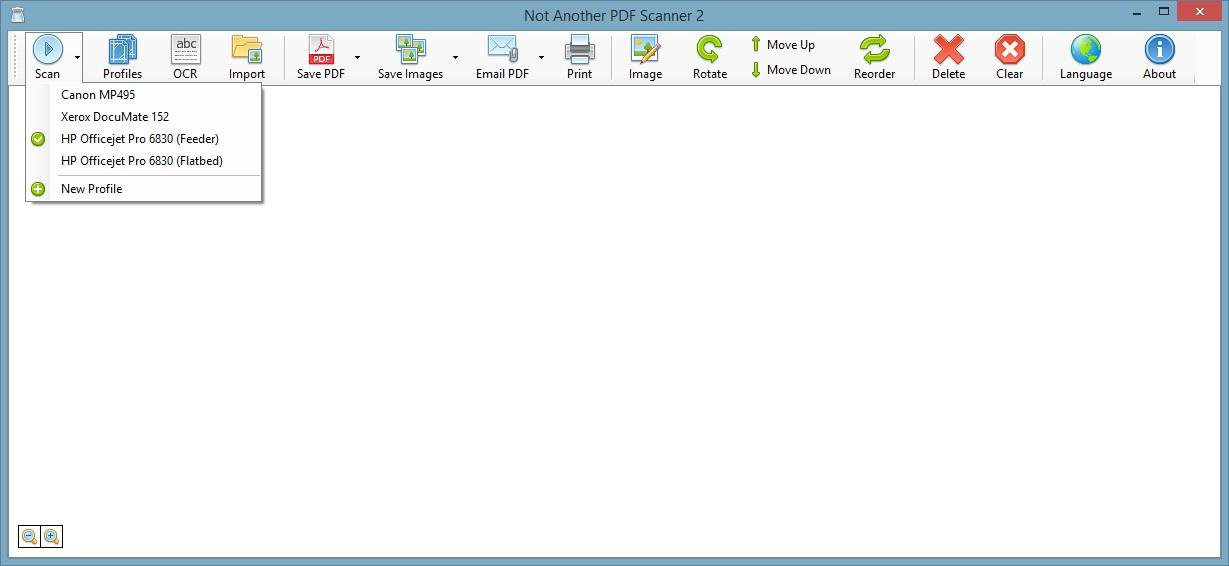
NAPS2 is a document scanning application with a focus on simplicity and ease of use. Scan your documents from WIA- and
TWAIN-compatible scanners, organize the pages as you like, and save them as PDF, TIFF, JPEG, PNG, and other file
formats.
## Features
* Scan documents using WIA- and TWAIN-compatible scanners
* Scan as many pages as you like from glass or ADF, including duplex support
* Rotate, crop, and rearrange scanned pages
* Save as PDF, TIFF, JPEG, PNG, or other file formats
* Directly email PDFs
* Use OCR to make PDFs searchable
* Import, merge, and edit PDFs
* Configure brightness, contrast, resolution, and other scan options
* Save your configurations as profiles to be easily reused later
* Optional command-line interface (CLI) for automation and scripting
## Package Parameters
* `/InstallDir=[directory]` - set the installation directory to `[directory]`
e.g. `choco install -y naps2.install --package-parameters="/InstallDir=C:\Tools\NAPS2"`
To have Chocolatey remember parameters on upgrade, be sure to set `choco feature enable -n=useRememberedArgumentsForUpgrades`
## Notes
* If support for 32-bit Windows is required use the legacy version [naps2.install 7.5.3](https://chocolatey.org/packages/naps2.install/7.5.3).
```powershell
choco install naps2.install --version 7.5.3
choco pin add -n=naps2.install --version 7.5.3
```
* This package is automatically updated using the [Chocolatey Automatic Package Update Model (AU)](https://github.com/majkinetor/au/blob/master/README.md).
If you find it is out of date by more than a day or two, please contact the maintainer(s) and let them know the package is no longer updating correctly.
|
25 |
Software
.NET Framework 4.8.1 announcement .NET Framework 4.8.1 release notes .NET Framework 4.8.1 changes
Package
4.8.1.20250219-rtw: Updated installer link to the latest published by Microsoft. Package version still marked with prerelease suffix to prevent automatic installation on systems older than Win 10 20H2 / Server 2022.
Any 0.0
- chocolatey-dotnetfx.extension (>= 1.0.1)
| Version | Downloads | Last updated |
|---|---|---|
| 4.8.1.20250219-rtw | 24 | 06/27/2026 |